Stage an order by dragging entry, stop and target lines on the chart, size it, and inspect the draft before deciding to send.
Tested on practice accounts and recorded data. The local MetaTrader 5 connection is not yet qualified for customer use.
See the interaction
Explore Entry Pad.
Every demo on this page runs in your browser on simulated data. Nothing in them is sent anywhere.
Share this demo
A public link to this simulated example. Your demo edits, search and account details are not included.
The behavior, explained
How it works.
The Entry Pad turns the chart into the order ticket. Place the entry, the stop and one or more targets as lines, adjust them by dragging, and the pad shows the size and the amounts at risk as you go.
Staging never sends anything: an order leaves the workstation when you send it. Staged drafts stay in place while you look at other charts, so you can come back to them.
Protection you switch on is reviewed first. After that, the app itself moves a trailing stop or a stop-to-entry, and closes part of the position at each earlier target. It does this only while it is open, signed in and connected. When the app is closed, only the stop-loss and take-profit held by your broker remain.
See the workstation
Screenshots & clips.
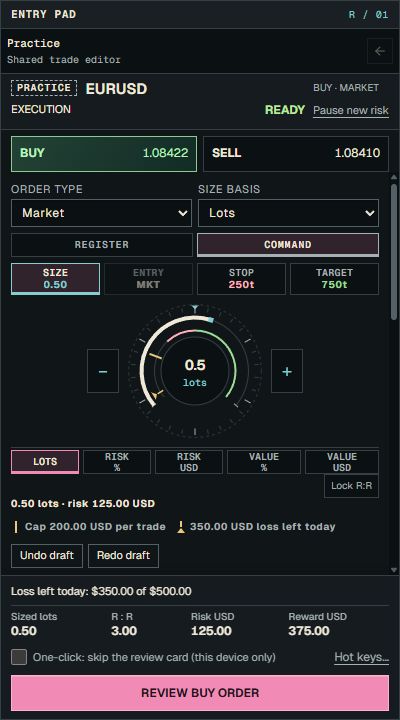
Practice identifies the execution mode shown. Read EURUSD and Buy · Market together, and verify the selected account in the workstation. A mode badge alone does not identify an account.
Current Entry Pad controls with Command Dial selected and a simulated Practice account. The pictured values are examples; one-click trading is off.
Product screenshot with sample data. Pictured controls are not live.
Select a numbered marker. Arrow keys move through notes.
Example data in screenshots and clips is simulated.